

Description
Obsidian Pivot Engine MT5 Review
Gold can move quickly, and breakout trading becomes difficult when entries, stop losses, and execution have to be managed manually.
That is where an automated trading system can become useful. Obsidian Pivot Engine MT5 is built around level-based breakout trading, with XAUUSD M15 as its primary configuration.
I approached this review from a practical trading perspective rather than assuming that every backtest or product claim will translate directly into live results.
The important question is not simply whether the EA can place trades. It is whether its trading logic, execution requirements, and risk controls make sense for the market it targets.
➡️ Telegram: Join For NEW Updates & Settings
➡️ Vendor’s Website: Here
What Is Obsidian Pivot Engine MT5?
Obsidian Pivot Engine is a MetaTrader 5 Expert Advisor designed around breakout trading and multi-timeframe market analysis.
Its main configuration focuses on XAUUSD using an M15 chart, while BTCUSD and NASDAQ can also be enabled independently.
The EA looks for potential breakout opportunities around price levels and can use pending orders when its internal conditions are satisfied.
The exact level-detection and signal-filtering logic is proprietary, so traders cannot fully inspect the entry algorithm from the public product description.
That is worth remembering when evaluating any automated trading bot.
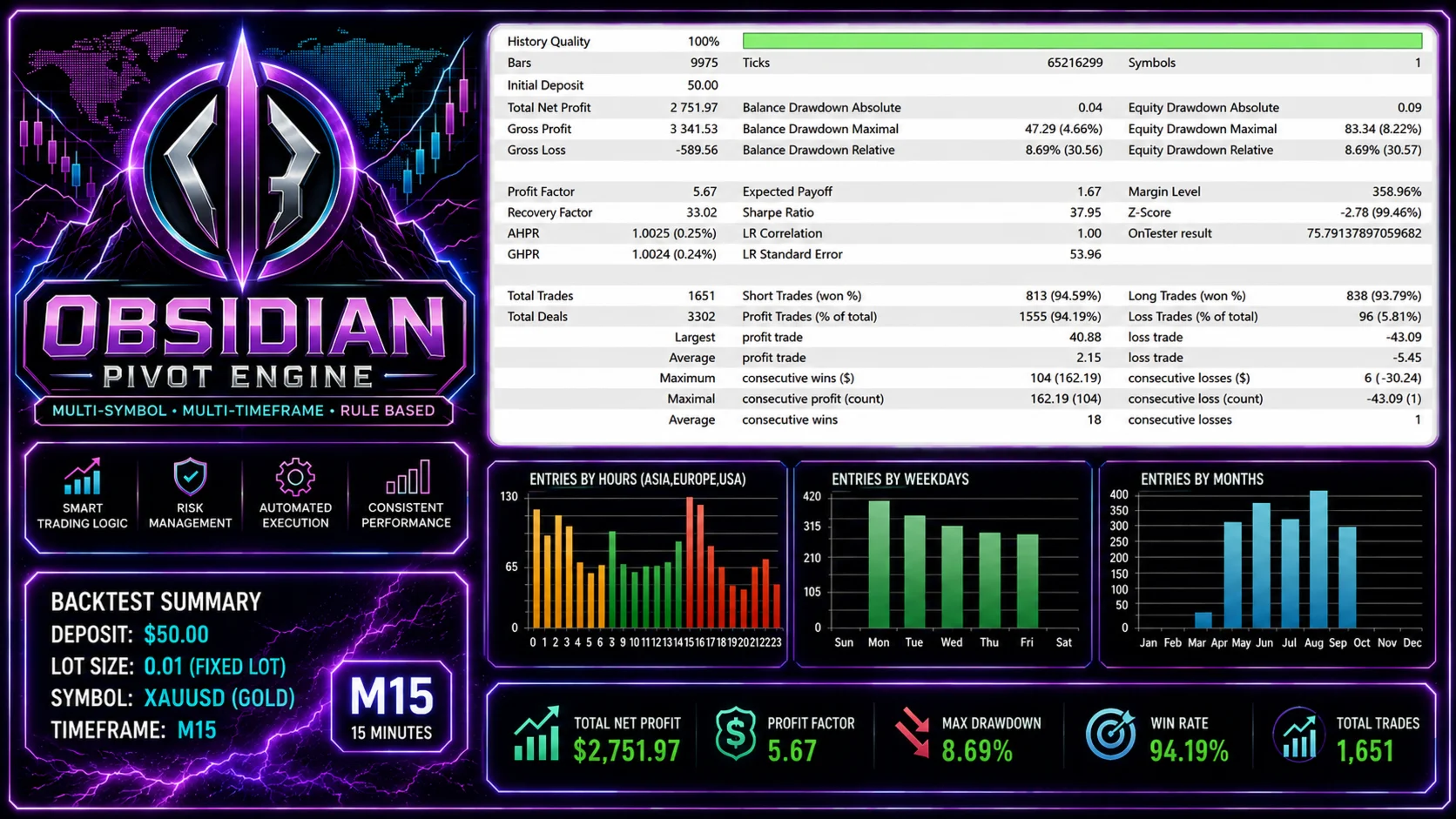
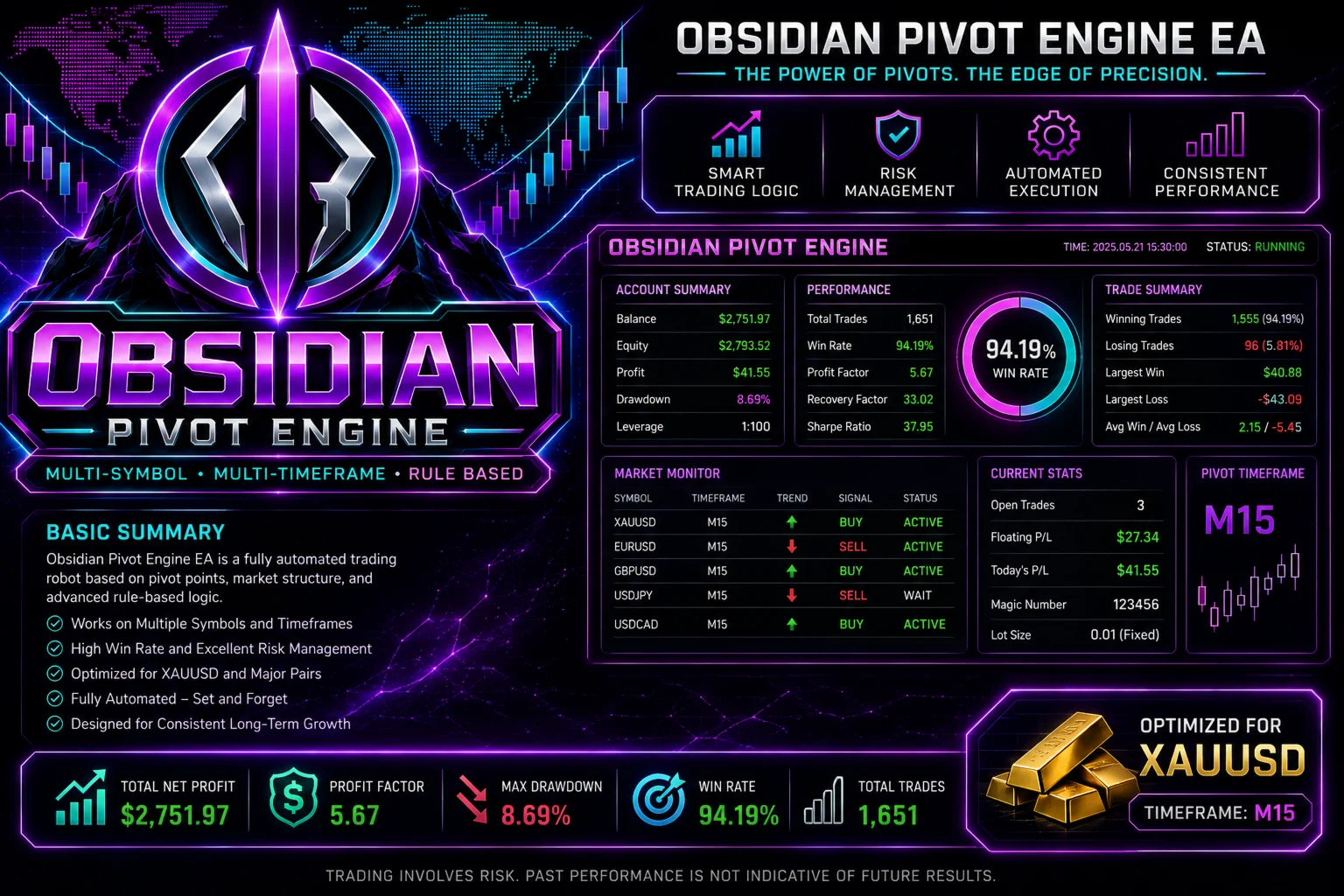
My Testing Experience
Rather than treating the EA as a guaranteed profit machine, I looked at the way it is intended to operate and the controls available to the trader.
The recommended starting configuration is deliberately simple:
- XAUUSD
- M15
- Default inputs
- Demo account initially
- VPS for continuous operation
I like the idea of starting with default parameters instead of immediately optimizing dozens of inputs.
Over-optimization can make an EA look excellent on historical data while becoming much less useful when market conditions change.
What stands out here is that the system is not built around progressively increasing position sizes after losing trades. The published specifications state that it does not use martingale, averaging, or grid trading.
However, that does not make it low-risk. Gold remains a volatile instrument, and breakout systems can experience losing periods, false breakouts, spread expansion, and slippage.
Trading Strategy Explained Simply
The basic concept is relatively straightforward.
Obsidian Pivot Engine analyzes recent price structure across multiple timeframes and searches for conditions suggesting a potential breakout of an important level.
Instead of entering immediately at market, it can use pending orders around the relevant levels.
If the breakout occurs, the order can become an active position, after which the EA manages the trade using its configured protection and management rules.
The exact calculation used to identify levels is not publicly disclosed.
This means traders should evaluate the EA through Strategy Tester and demo-forward testing rather than assuming they understand every part of its internal strategy.
Key Features
✅ Level-based breakout system — Designed to trade potential price-level breakouts.
✅ Multi-timeframe analysis — The EA can process market information across different timeframes.
✅ Multi-symbol operation — XAUUSD is the primary configuration, with BTCUSD and NASDAQ supported as additional markets.
✅ Pending-order entries — The system can prepare orders around potential breakout levels.
✅ Stop Loss protection — Positions include initial stop protection.
✅ Trailing stop — Trade management can continue after entry using trailing protection.
✅ Risk controls — Position sizing can be configured around risk or fixed volume.
✅ No martingale or grid — The published product description states that it does not average losing positions or automatically increase volume after losses.
✅ Duplicate filtering — Designed to prevent unnecessary duplicate orders around the same level.
✅ MT5 Strategy Tester support — Useful for historical testing before demo or live deployment.
Obsidian Pivot Engine MT5 Specifications
| Specification | Details |
| Platform | MetaTrader 5 |
| Primary Symbol | XAUUSD (Gold) |
| Additional Symbols | BTCUSD, NASDAQ |
| Primary Timeframe | M15 |
| Account Type | Hedging account recommended for multi-position operation |
| Minimum Starting Deposit | $50 developer backtest starting point |
| More Comfortable Deposit | $500+ suggested for risk management |
| Recommended Leverage | Not specified by developer |
| Broker Environment | VT Markets, Vantage, FP Markets suggested for testing |
| Inputs | Default values initially |
| Live Operation | Automated; VPS recommended/required for continuous operation |
The $50 figure should not be interpreted as a recommended live trading balance. A small account leaves considerably less room for drawdown, spread changes, and position-sizing constraints.
Performance Observations
There is an important distinction between historical testing and live trading.
A backtest can show how a trading system behaved against historical price data, but it cannot reproduce every aspect of future execution.
For this EA, the main live-trading variables include:
- XAUUSD spread
- Slippage
- Broker execution speed
- Stop-level restrictions
- Liquidity
- Commission
- VPS stability
- Account leverage
- Position sizing
Gold can behave very differently during normal sessions compared with major news releases or periods of rapidly changing liquidity.
For that reason, I would treat backtest results as a starting point rather than a performance promise.
Risk Management & Drawdown Analysis
This is probably the section traders should pay the most attention to.
The EA includes several risk-management controls, including configurable position sizing, maximum positions, pending-order limits, and aggregate risk controls.
It also uses Stop Loss protection rather than relying entirely on manually closing losing positions.
Still, risk management does not eliminate drawdown.
A breakout system can suffer when price repeatedly moves through a level and then reverses. Several failed breakouts in succession can create a difficult period even when the underlying strategy eventually recovers.
My approach would therefore be conservative: test the default configuration first, use sensible risk per trade, and avoid increasing lot size simply because the previous few trades were profitable.
Pros and Cons
Pros
- Designed specifically around automated breakout trading
- XAUUSD M15 is clearly defined as the primary configuration
- Supports BTCUSD and NASDAQ
- Multi-timeframe analysis
- Pending-order functionality
- Initial Stop Loss and trailing protection
- Configurable risk controls
- No martingale, grid, or losing-position averaging
- Compatible with MT5 Strategy Tester
Cons
- The core level-detection logic is not publicly disclosed
- Gold breakout trading can be sensitive to slippage and spread
- VPS is needed for continuous automated operation
- Results can vary significantly between brokers
- A small starting balance may provide limited room for drawdown
- BTCUSD and NASDAQ require separate testing rather than assuming XAUUSD settings will transfer directly
Who Should Use This EA?
Obsidian Pivot Engine MT5 may be worth considering for traders who:
- Prefer automated breakout strategies
- Trade primarily XAUUSD
- Are comfortable with M15 systems
- Understand automated trading risks
- Want configurable risk controls
- Can provide a stable VPS environment
- Are willing to forward-test before using real money
It may also interest traders who prefer an EA that does not rely on martingale or grid-style recovery.
Who Should Avoid It?
I would be cautious if you are looking for guaranteed monthly returns or a completely hands-off system.
It may also be unsuitable for traders who cannot tolerate periods of losing trades or who intend to use aggressive leverage with a very small account.
Likewise, traders expecting a simple “install and forget” solution should understand that broker conditions and execution still matter.
Installation & Setup Guide
- Install MetaTrader 5 and log into your trading account.
- Install Obsidian Pivot Engine through the MT5 environment.
- Open an XAUUSD M15 chart.
- Attach the EA and enable automated trading.
- Start with the default inputs.
- Run a Strategy Tester check before going live.
- Forward-test on a demo account.
- Use a VPS for continuous operation.
- Monitor spread, execution, drawdown, and trade behavior.
I would avoid changing multiple parameters immediately. Test the baseline configuration first so you know what each adjustment actually changes.
My Opinion After the Experience
Obsidian Pivot Engine MT5 is an interesting automated breakout system because its structure is relatively clear: focus on XAUUSD M15, analyze multiple timeframes, use price levels, and automate pending-order execution.
The inclusion of Stop Loss, trailing protection, position limits, and aggregate risk controls is also useful from a risk-management perspective.
At the same time, I would not judge the EA purely from historical performance. Gold is highly sensitive to execution conditions, and a breakout strategy can behave differently across brokers and market regimes.
For me, the sensible approach is straightforward: start with the default XAUUSD M15 configuration, test it on demo, study the drawdown and execution, and only then consider live deployment.
That makes Obsidian Pivot Engine worth investigating, but not something to treat as a guaranteed shortcut to profitable trading.
FAQs
01. Is Obsidian Pivot Engine MT5 a gold EA?
Yes. XAUUSD is the primary configuration, with M15 listed as the main chart timeframe. BTCUSD and NASDAQ can also be enabled as additional markets.
02. Does Obsidian Pivot Engine use martingale?
No. The published product specifications state that the EA does not use martingale, grid trading, losing-position averaging, or automatic volume increases after losses.
03. What timeframe does Obsidian Pivot Engine use?
The recommended chart configuration is M15, particularly for XAUUSD.
04. Does the EA use Stop Loss?
Yes. The product description specifies initial Stop Loss protection, along with trailing-stop functionality.
05. Does Obsidian Pivot Engine need a VPS?
For continuous automated operation, a VPS is recommended because MT5 needs to remain connected and running.
06. What is the minimum deposit for Obsidian Pivot Engine?
A $50 starting balance is mentioned in the supplied developer testing information, but a larger balance provides more room for sensible risk management. The supplied recommendation is $500+.
07. Can I use Obsidian Pivot Engine on BTCUSD or NASDAQ?
Yes. Both are supported as additional markets, but they should be tested separately rather than assuming that XAUUSD performance will carry over.
👉 Reviewed By: Michael Harrington
Direct Contact And More EAs
- Direct Contact- Telegram: FXVIPShop Support

Reviews
There are no reviews yet.