
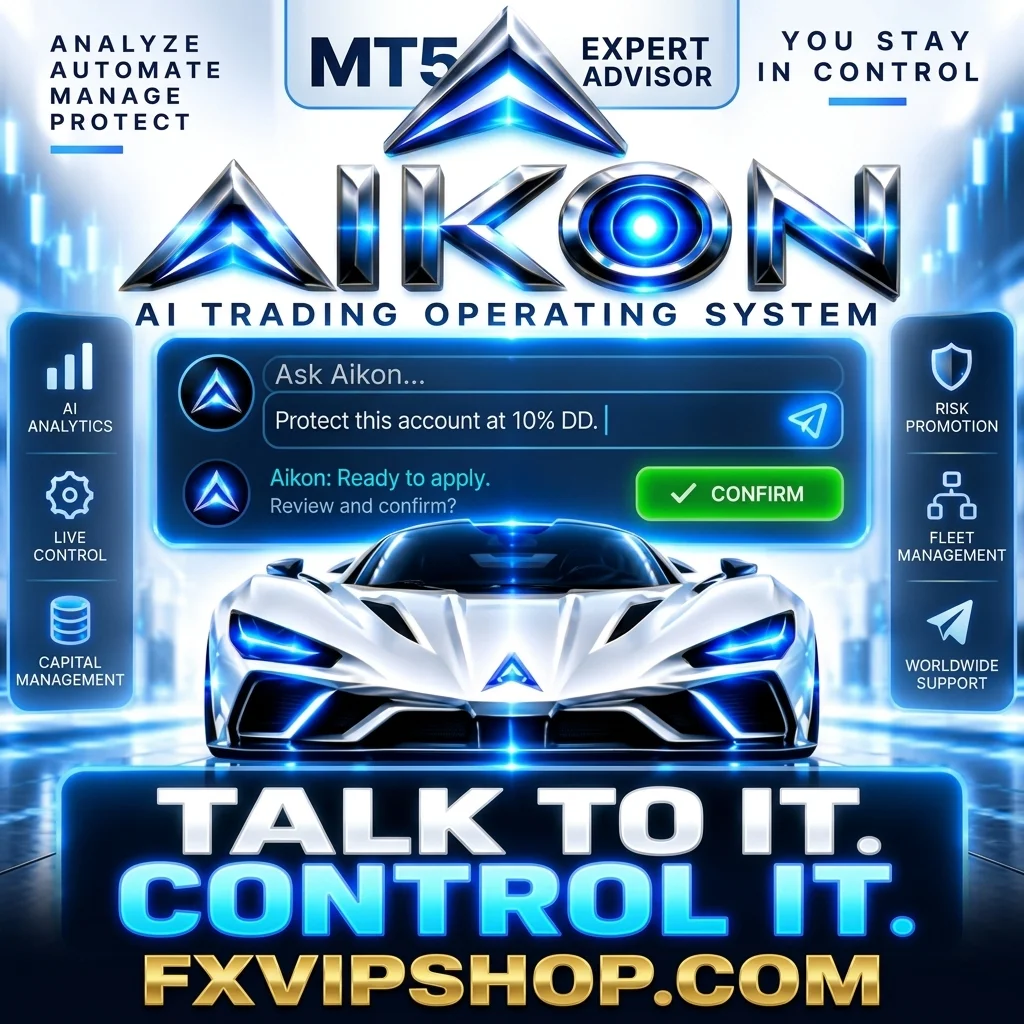
Description
Aikon MT5 Review
Choosing an automated trading system is not simply about finding an EA that can open and close trades.
The bigger question is whether the system gives you enough control over risk, execution, configuration, and account management when market conditions change.
That is where Aikon MT5 takes a different approach. Rather than presenting itself as a traditional one-strategy Forex robot, Aikon is built around AI-assisted interaction with an MT5 trading environment. The current product documentation describes automated trading combined with conversational controls, account monitoring, automation, and capital-management features.
After reviewing the current documentation and available research, I would describe Aikon as more of a trading operating framework than a conventional plug-and-play EA.
➡️ Telegram: Join For NEW Updates & Settings
➡️ Vendor’s Website: Here
What Is Aikon MT5?
Aikon MT5 is an Expert Advisor designed for MetaTrader 5 that combines automated execution with an AI-assisted interface.
Once configured, the system can analyze markets, open and manage trades according to enabled rules, monitor positions, and assist with operational decisions. The developer also provides an “Ask Aikon” interface that allows users to interact with the trading system using natural language.
This makes it quite different from a basic MT5 EA where traders simply load a .ex5 file, choose a set file, and leave it running.
The current version also supports connected functionality such as Telegram operation and multi-account coordination, although these features require additional configuration and connectivity.
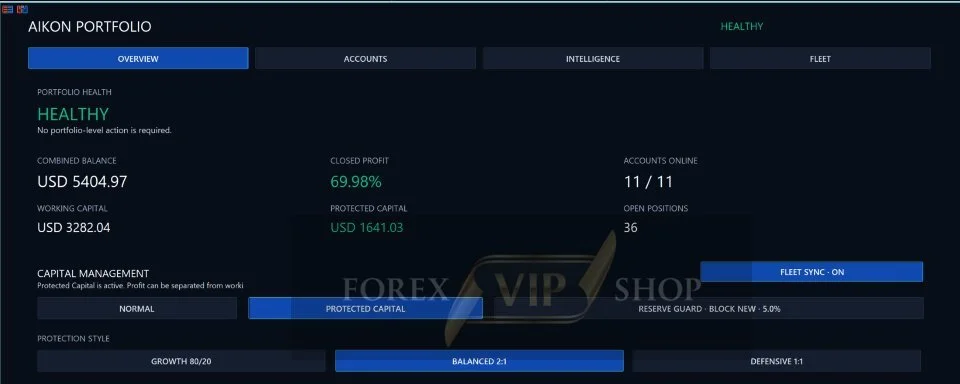
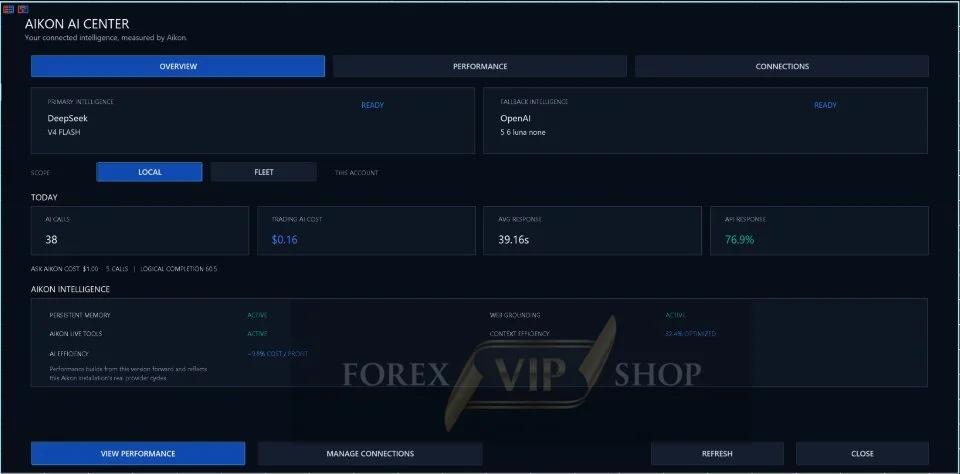
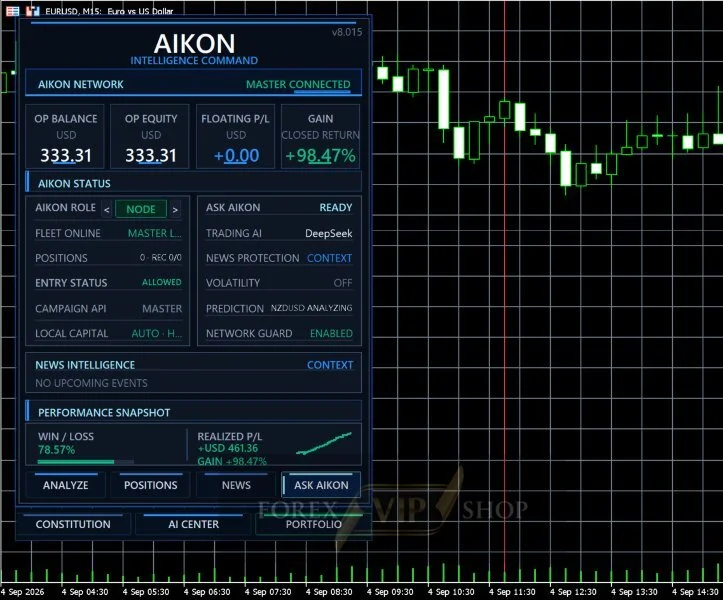
My Testing & Research Experience
I approached Aikon differently from a normal scalping or trend-following EA.
Instead of judging it purely by a claimed percentage return, I looked at what the system actually provides to a trader: configuration, execution, automation, monitoring, and risk controls.
What I observed from the current documentation is that Aikon’s strongest differentiation is operational flexibility.
The system can be instructed, queried, and configured through its conversational interface. Changes are presented for confirmation rather than silently applying every requested operational change.
However, I would not interpret this functionality as proof of trading profitability.
An AI interface can make an EA easier to operate, but it does not automatically create a profitable trading strategy. Independent research published in September 2026 also showed that one Aikon optimization test performed differently on unseen data, reinforcing why traders should separate software capability from proven market edge.
Aikon MT5 Trading Strategy Explained Simply
Aikon is not best understood as a single fixed strategy such as a pure scalper, grid EA, or trend-following robot.
The current product description allows traders to configure different trading approaches, risk policies, automations, and management rules. YO4X similarly describes the trading method and capital controls as separate components of the system.
In simple terms:
You define how you want the trading system to operate, and Aikon provides the tools to execute, monitor, and manage that operation.
That flexibility is powerful, but it also places more responsibility on the trader.
Key Features
✅ AI-assisted trading and account interaction
✅ Automated trade execution
✅ Natural-language “Ask Aikon” interface
✅ Configurable trading policies
✅ Risk and capital-management controls
✅ Portfolio and multi-account functionality
✅ Position and exposure monitoring
✅ Automation management
✅ Telegram-based interaction
✅ MT5-native execution
✅ Confirmation workflow for operational changes
The developer specifically warns that AI functionality requires internet access and configured provider credentials, with provider charges separate from the EA itself.
Aikon MT5 Specifications
| Specification | Details |
| Platform | MetaTrader 5 |
| Trading Pairs | Gold (XAUUSD) & Forex majors |
| Timeframe | H1 or M15 |
| Minimum Deposit | $500-$1000 |
| Recommended Deposit | $2500 |
| Leverage | 1:500 |
| Product type | AI-assisted Expert Advisor / trading framework |
| Trading style | Configurable |
| Account type | Depends on enabled functionality and broker conditions |
| Trading instruments | Configurable; verify current supported configuration |
| Risk management | Configurable capital and position controls |
| AI connectivity | Internet + configured provider credentials |
| Remote control | Telegram functionality available |
| Live operation | Requires running and connected MT5 terminal |
| Recovery | Available, but account restrictions apply |
| VPS | Recommended for continuous automated operation |
The current MQL5 documentation notes that netting accounts cannot run Recovery and that FIFO/no-hedge restrictions can affect execution behavior.
Performance Observations
This is the section where I would be particularly careful.
Aikon’s feature set is extensive, but features are not the same thing as verified returns.
The current MQL5 listing explains that Strategy Tester results can demonstrate mechanical behavior, but connected AI conversations, provider research, and Telegram functionality are not fully represented in a conventional tester run.
That means a backtest should not automatically be treated as a complete simulation of the live Aikon environment.
I would therefore judge performance using:
- Forward-demo results
- Maximum equity drawdown
- Recovery time after losing periods
- Average risk per trade
- Exposure across correlated positions
- Spread and commission impact
- Results across different market conditions
Independent testing published in September 2026 found a small positive fitted result followed by a negative unseen result on one EURUSD M15 test, showing why out-of-sample testing matters.
Risk Management & Drawdown Analysis
Aikon gives traders substantial control over capital and risk management, but that does not make the account automatically safe.
This distinction is important.
A trader can configure an excellent risk framework and still choose excessive position sizing. Similarly, an automated recovery mechanism can behave differently on netting, hedging, or restricted accounts.
For that reason, I would start with conservative exposure and run the system on a demo account before committing meaningful capital.
The developer itself states that Aikon does not guarantee profit and that the trader remains responsible for trading and capital decisions.
Pros and Cons
Pros
- Advanced AI-assisted interaction
- Extensive automation capabilities
- Strong account-management functionality
- Flexible risk and capital controls
- Remote Telegram functionality
- Designed for more than one simple trading strategy
- Useful monitoring and portfolio features
Cons
- More complicated than a basic plug-and-play EA
- AI features require external connectivity
- Provider/API costs can be separate
- Results depend heavily on configuration
- Connected AI functionality is not fully represented in standard backtests
- Advanced features require a greater understanding of trading risk
Who Should Use Aikon MT5?
Aikon may suit traders who:
- Want more control than a conventional EA provides
- Understand MT5 and automated trading
- Want AI-assisted interaction with their trading system
- Need account or portfolio monitoring
- Are comfortable configuring risk parameters
- Want remote management capabilities
Who Should Avoid It?
I would be cautious about Aikon if you simply want a basic EA that requires almost no configuration.
It may also be unsuitable for traders who expect an AI-powered interface to guarantee better trading results.
The more flexible the system becomes, the more important proper configuration and risk management become.
Installation & Setup Guide
- Install MetaTrader 5 and log into your trading account.
- Install the Aikon MT5 Expert Advisor.
- Attach Aikon to the appropriate MT5 environment.
- Configure your trading policy and capital/risk controls.
- Connect the required AI provider credentials if using AI features.
- Enable automated trading and verify permissions.
- Run the system on demo before moving to live funds.
- Monitor drawdown, exposure, execution and connectivity continuously.
For continuous automated operation, a reliable VPS is worth considering.
My Opinion After The Experience
My main takeaway from reviewing Aikon MT5 is that it should not be judged like a conventional Forex EA.
Its appeal is the combination of automated trading, AI-assisted interaction, configuration, monitoring, and account-management tools.
At the same time, that flexibility is also its biggest responsibility.
I would not buy Aikon simply because it uses AI. I would consider it if I specifically wanted a more configurable MT5 trading environment and was prepared to understand the underlying risk.
For anyone considering it, my approach would be straightforward: start on demo, test the exact configuration you intend to trade, measure drawdown and execution, then decide whether the system fits your account.
FAQs
01. Is Aikon MT5 an automated trading system?
Yes. Aikon is an MT5 Expert Advisor capable of analyzing markets, opening trades, and managing positions according to configured rules and risk controls.
02. Does Aikon MT5 use artificial intelligence?
Yes. The current system includes AI-assisted interaction through its Ask Aikon functionality. AI features require internet access and configured provider credentials.
03. Can Aikon MT5 be controlled remotely?
Yes. The current documentation includes Telegram functionality for interacting with the system remotely, subject to the required configuration.
04. Can Aikon MT5 be backtested?
The mechanical components can be examined using the MT5 Strategy Tester. However, the complete connected AI workflow is not represented by a conventional backtest because external WebRequest-based services are not executed in the same way.
05. Is Aikon MT5 suitable for beginners?
It can be used by newer traders, but its extensive configuration makes it more important for users to understand position sizing, drawdown, leverage, and automated trading risks.
06. Does Aikon MT5 guarantee profits?
No. The developer explicitly states that Aikon does not guarantee profit and that users remain responsible for their trading and capital decisions.
07. Should I use Aikon MT5 on a live account immediately?
I would start with demo or very conservative exposure. Forward testing the exact configuration is particularly important because connected AI functionality cannot be fully represented through a standard MT5 backtest.
👉 Reviewed By: Michael Harrington
Direct Contact And More EAs
- Direct Contact- Telegram: FXVIPShop Support

Reviews
There are no reviews yet.