

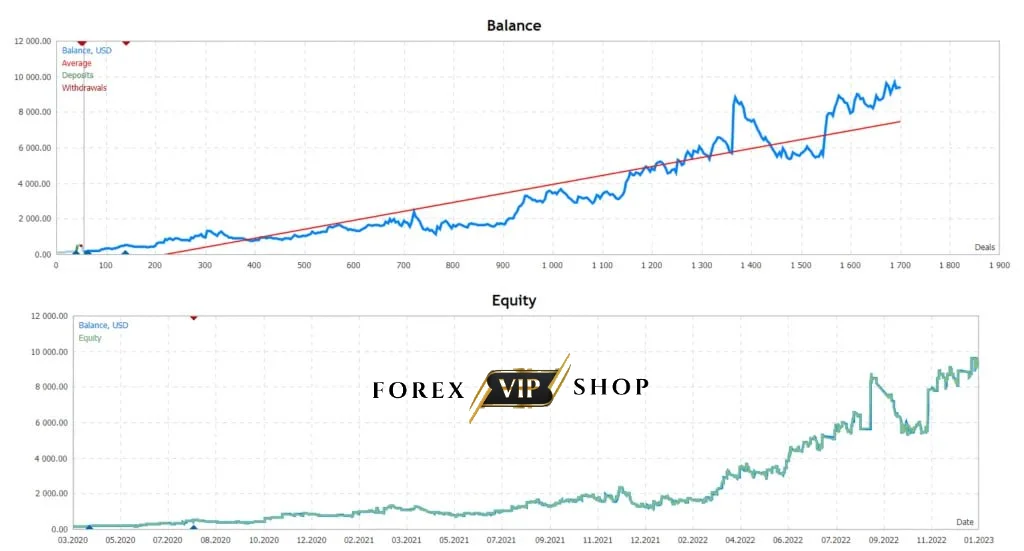
Description
PRADO EA is an intelligent, low-risk expert advisor built for MetaTrader 4 users who want steady results in forex trading. Specializing in the USDJPY pair and operating on the H1 timeframe, it uses a cautious yet effective intraday trading strategy. Whether you’re just starting out or a seasoned trader, PRADO EA’s automated system can help manage your trades efficiently with a minimal deposit.
- ???? Join Our Telegram
Key Features
✅ Strategic Trading Approach – It combines four different trading strategies, primarily focusing on pending orders and trend-based intraday trading. This blend enables it to adapt to varying market conditions and deliver smoother performance.
✅ Strong Risk Management – It includes built-in safety features like automatic stop-loss and take-profit settings. More importantly, it avoids risky techniques such as grid systems, order averaging, or increasing lot sizes.
✅ Customizable Settings – Traders can adjust risk levels, lot sizes, and other settings to suit their personal trading preferences. This flexibility allows both conservative and aggressive traders to tailor the EA to their style.
Specifications
✅ Platform: MetaTrader 4
✅ Currency Pair: USDJPY
✅ Timeframe: H1
✅ Minimum Deposit: $100
✅ Trading Type: NoDLL / Fix
✅ Setup Files: Available
How Does Prado EA Works?
PRADO EA scans the USDJPY market for trend-based entry points and places pending orders. As soon as an order is triggered, it instantly applies stop-loss and take-profit levels to lock in potential gains and limit losses. A trailing stop function enhances trade management by protecting profits as the market moves in your favor. Its multi-strategy system ensures adaptability during different market conditions, helping to maintain consistent performance without high-risk exposure.
Advantages
✅ Safe and Secure Trading – The EA’s conservative nature makes it a safe choice, especially for those avoiding aggressive tactics. By using pending orders and pre-set protection levels, it offers peace of mind even in volatile markets.
✅ Versatile Trading Options – With four trading strategies in one tool, It can adapt to changing market environments, reducing the chance of prolonged drawdowns.
✅ Simple and Accessible – A low entry barrier of just $100 makes it affordable for beginners. With default settings optimized for USDJPY, users can start trading right out of the box.
✅ Avoids High-Risk Tactics – No grid trading, no martingale, and no volume scaling—It keeps things disciplined and straightforward.
✅ Optimized Historical Performance – Backtested with data going back to 2010, its performance settings are fine-tuned for reliability and realism.
Performance
Prado EA Myfxbook Live Result 1: Link
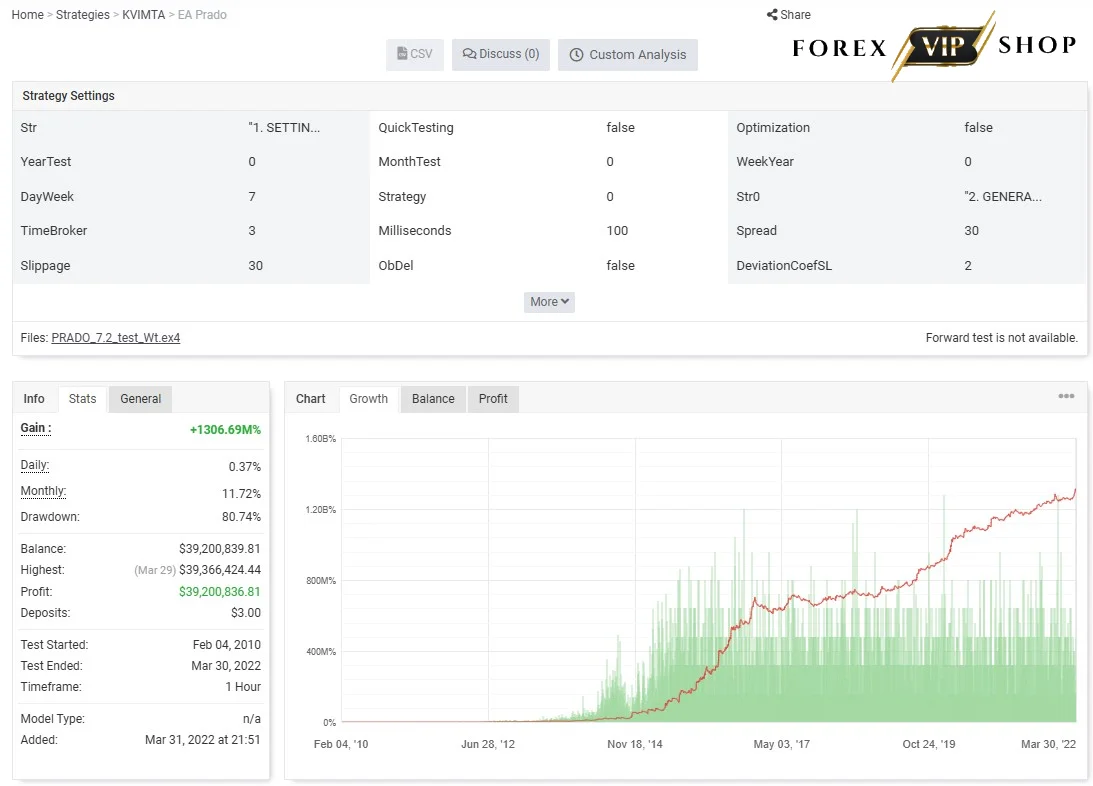
Live Signal 1
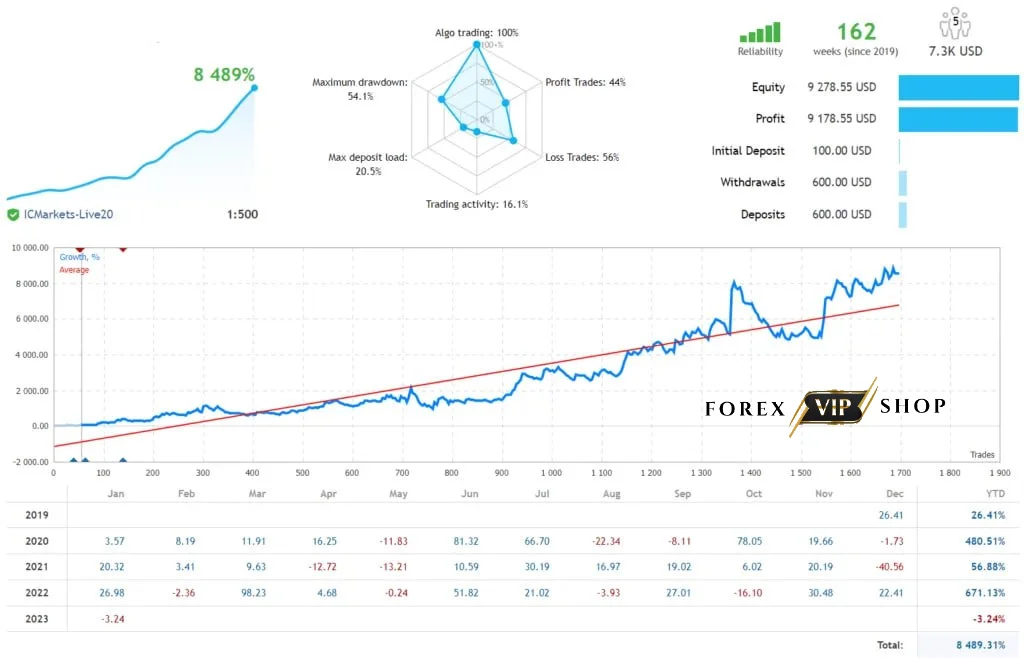
Backtest Result 1
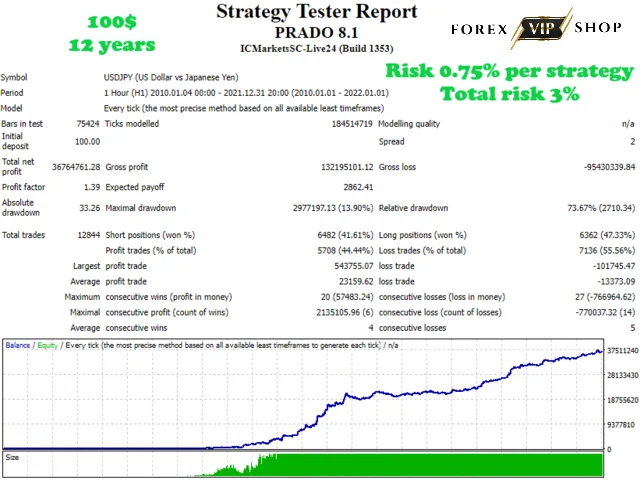
Backtest Result 2
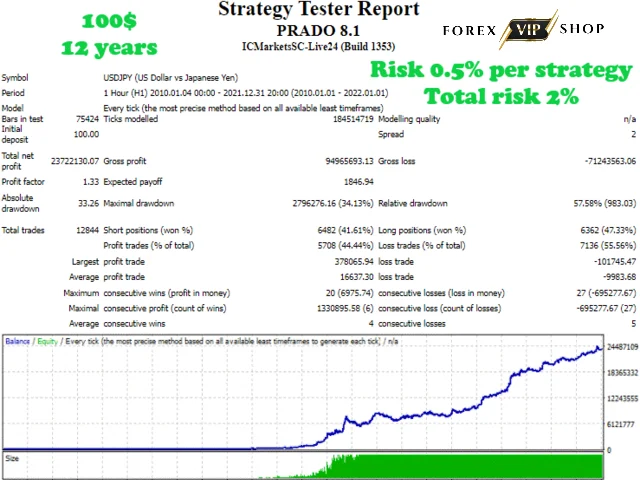
Backtest Result 3
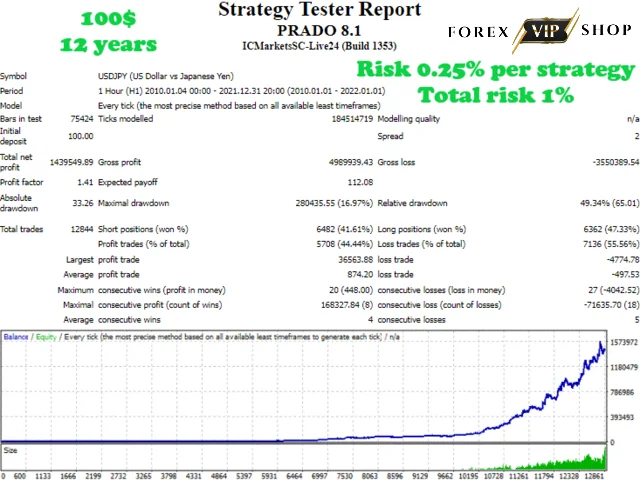
Installation and Setup Guide
01: Download the Setup Files – Get the latest PRADO EA files from your vendor or source. Ensure compatibility with MetaTrader 4.
02: Install on MetaTrader 4 – Copy the EA files into the “Experts” folder in your MT4 directory.
03: Restart MT4 – After copying, restart MT4 so the system recognizes the new EA.
04: Attach to Chart – Drag and drop this EA onto a USDJPY H1 chart.
05: Configure Settings – Customize lot sizes, risk levels, and trailing stop settings as needed.
06: Start Trading – Enable AutoTrading, and it will begin monitoring and executing trades automatically.
Conclusion
PRADO EA stands out as a secure and efficient automated trading solution for MT4 users. Its focus on pending orders, multi-strategy adaptability, and strong risk management makes it a solid choice for traders who prioritize safety and consistent performance. Easy to install and beginner-friendly, PRADO EA ensures a disciplined path to forex trading success with a modest investment.
FAQs
Q: Is it suitable for beginners?
Yes, it’s user-friendly and comes with default settings optimized for immediate use.
Q: What’s the minimum deposit to start using this EA?
Only $100, making it accessible to traders of all levels.
Q: Does it use risky strategies like martingale?
No. It avoids grids, martingale, and volume increases.
Q: What currency pairs does it support?
It is specifically optimized for the USDJPY pair.
Q: Can I customize the EA’s settings?
Yes, traders can adjust various parameters to match their risk tolerance and goals.
Check Our Best Selling EAs
SuperGoldBot EA | Thunderbolt EA

Reviews
There are no reviews yet.